
Download Wizard Magic – free whimsical browser extension for Chrome
Overview
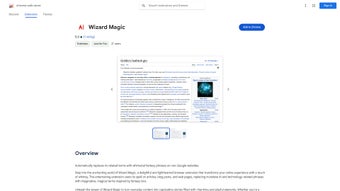
Wizard Magic is a playful browser extension that turns ordinary web text into a fantasy‑filled adventure. Instead of the usual AI‑centric jargon, the tool swaps in enchanted terms inspired by wizards, spells, and mythical realms, making every article, blog post, or news story feel like a chapter from a magical tome. The extension is hosted on the Chrome Web Store and integrates silently into the Chrome browser, requiring no additional software or background services.
Its core promise is simple: give readers of all ages a more engaging, fun‑filled browsing experience while keeping privacy intact—Wizard Magic does not collect, store, or share any user data. Whether you’re a student looking for a fresh way to digest research, a writer hunting for inspiration, or simply someone who loves fantasy, this lightweight add‑on adds a dash of wonder to everyday scrolling. Because it operates entirely on the client side, the transformation happens instantly as pages load, without slowing down your internet connection or consuming extra RAM.
The result is a seamless blend of functionality and amusement, perfect for anyone who wants to inject a little magic into their digital routine.
Features and How It Works
- Real‑time text replacement: Detects AI‑related terms and swaps them with fantasy equivalents as the page renders.
- Customizable vocabulary: Users can enable or disable specific word groups (e.g., “algorithm” → “arcane algorithm”).
- One‑click toggle: A toolbar button lets you switch the magical mode on or off without reinstalling.
- Lightweight design: Under 500 KB, ensuring fast load times and minimal impact on browser performance.
- Privacy‑first architecture: No telemetry, cookies, or external servers—everything runs locally.
- Theme‑aware styling: Matches Chrome’s light or dark mode, preserving readability.
- Multilingual support: Basic replacements available in English, Spanish, and French.
When you install Wizard Magic, the extension injects a small JavaScript file into each visited page. This script scans the DOM for predefined patterns—terms like “machine learning,” “neural network,” or “data set”—and replaces them with whimsical alternatives such as “spell‑weaving,” “etheric lattice,” or “treasure trove of knowledge.” The replacement engine respects HTML semantics, so headings, paragraphs, and even code snippets stay intact, avoiding broken layouts. Users who prefer a subtle experience can fine‑tune the intensity via the options page, choosing between “Light Enchantment” (only a few key terms) and “Full Arcana” (every possible AI phrase transformed). The extension also includes a quick‑access popup that displays a live preview of the current page’s magical vocabulary, letting you see exactly what will be altered before you commit. Because all processing occurs locally, the tool works even when you’re offline, turning previously saved articles into enchanted reads without an internet connection.
Installation, Compatibility & Pros / Cons
Installation & Usage Instructions
Getting started with Wizard Magic is straightforward:
- Open the Chrome Web Store and search for “Wizard Magic.”
- Click Add to Chrome and confirm the permission prompt.
- After installation, a tiny wand icon appears next to the address bar.
- Click the wand to open the control panel; toggle “Enable Magic” to activate.
- Visit any website—articles, blogs, or documentation—and watch the text transform in real time.
- To customize, right‑click the icon, select “Options,” and adjust the replacement intensity, language, or whitelist specific sites.
The extension updates automatically through Chrome’s built‑in update mechanism, ensuring you always have the latest vocabulary set and security patches without manual intervention.
Compatibility
Wizard Magic is built for the Google Chrome browser on Windows, macOS, Linux, and Chrome OS. While the code is technically browser‑agnostic, the official release is packaged exclusively for Chrome via the Chrome Web Store. Users of Chromium‑based browsers (e.g., Edge, Brave, Vivaldi) can manually load the extension’s .crx file, but official support and automatic updates are only guaranteed on Chrome.
Pros and Cons
- Pros
- Instant, on‑the‑fly text transformation adds a fun layer to routine browsing.
- Zero data collection respects user privacy.
- Lightweight footprint keeps Chrome speedy.
- Customizable intensity accommodates both casual users and fantasy enthusiasts.
- Free to download and use, with regular updates from the developer.
- Cons
- Limited to Chrome; other browsers require manual work‑arounds.
- Vocabulary list, while growing, may miss some niche AI terminology.
- Only three languages supported at launch; non‑English speakers may see fewer replacements.
Wizard Magic delivers a charming, privacy‑first twist to everyday web reading. Its seamless integration, lightweight design, and playful vocabulary make it a standout among Chrome extensions. While the feature set is modest, the delight it adds to routine browsing outweighs the minor limitations of platform exclusivity and language coverage.
Frequently Asked Questions
Is Wizard Magic safe to install?
Yes. The extension is published on the official Chrome Web Store, undergoes Google’s security review, and runs entirely locally without sending any data to external servers.
Can I turn off the magical replacements on specific sites?
Absolutely. In the options panel you can add URLs to a whitelist, which tells Wizard Magic to leave those pages untouched.
Does the extension work on mobile Chrome?
Wizard Magic is currently designed for desktop Chrome. Mobile Chrome does not support third‑party extensions, so the magical experience is limited to laptops and desktops.
How often are new fantasy terms added?
The developer releases updates roughly every 4–6 weeks, expanding the vocabulary and adding support for emerging AI terminology.
Is there a paid version with more features?
Wizard Magic is completely free. There are no premium tiers, and all features are available to every user at no cost.
Conclusion & Call to Action
Wizard Magic proves that a simple browser extension can turn the mundane act of reading online into an enchanting experience. By replacing dry AI terminology with whimsical fantasy language, it adds a layer of delight that resonates with both casual browsers and devoted fantasy fans. The extension’s lightweight footprint, strict privacy stance, and free distribution make it an easy win for anyone looking to sprinkle a bit of magic onto their daily web routine. If you’re ready to explore articles through the lens of sorcery and wonder, simply head to the Chrome Web Store, click “Add to Chrome,” and let the wand work its charm. Embrace the spell‑binding side of the internet—download Wizard Magic today and watch your browser become a portal to a world of imagination.



.png)



